Video Tutorials
All 17 Q-Booth tutorial videos, from installing to running AI, kiosk and print booths — each linked to its written guide.
Press play to watch here, or open a chapter to jump straight to that step. Every video also has a written guide with screenshots.
The series is also available in Bahasa Indonesia · 中文.
Getting Started

Video tutorial · 4:12
How to Install Q-Booth: Setup, Activation, Updates & License
Read the written guide
Also in: Bahasa Indonesia · 中文
Chapters (17)
- 0:00Intro
- 0:13Before you start
- 0:32Run setup.exe
- 0:42Setup language
- 0:52Destination folder
- 1:06Version 3? → No (new install)
- 1:16Desktop shortcut & ready to install
- 1:31Installing & finish
- 1:46First launch: License Activation
- 2:07Finishing setup (downloading files)
- 2:19Splash & ready
- 2:32Updates at launch
- 2:53Check for updates in About
- 3:09Your license in About
- 3:23Logout Session
- 3:34Deactivate License (moving PCs)
- 3:50Three things to remember & removing Q-Booth

Video tutorial · 5:29
Introduction & Easy Mode
Read the written guide
Also in: Bahasa Indonesia · 中文
Event Masterclass

Video tutorial · 3:38
Event Masterclass 1: Events, Settings, Templates & Categories
Read the written guide
Also in: Bahasa Indonesia · 中文
Chapters (12)
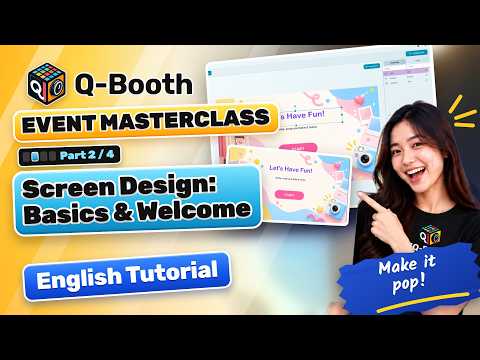
Video tutorial · 3:22
Event Masterclass 2: Design Every Screen of Your Photo Booth
Read the written guide
Also in: Bahasa Indonesia · 中文
Chapters (11)

Video tutorial · 3:08
Event Masterclass 3: Camera, Results, Printing & Sharing
Read the written guide
Also in: Bahasa Indonesia · 中文
Chapters (11)
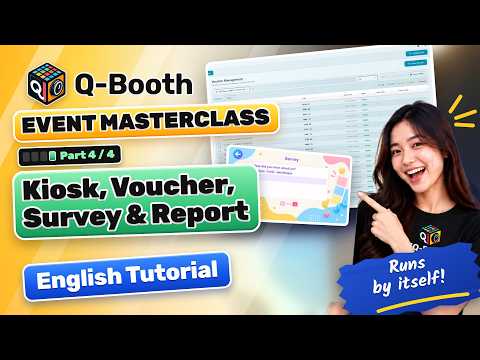
Video tutorial · 2:06
Event Masterclass 4: Kiosk Mode, Vouchers, Survey & Report
Read the written guide
Also in: Bahasa Indonesia · 中文
Chapters (8)
Photo, Collage, Video & AR

Video tutorial · 3:15
Take Photo and Do Background Removal (Offline, Instant)
Read the written guide
Also in: Bahasa Indonesia · 中文
Chapters (9)

Video tutorial · 5:13
How to Make Photo Collages & Strips
Read the written guide
Also in: Bahasa Indonesia · 中文
Chapters (17)
- 0:00Intro
- 0:16What you'll make
- 0:34Open Collage Studio & canvas 2:3
- 0:51The frame is the top layer
- 1:11Overlay vs frame
- 1:33Original photo in the top slot
- 1:50Duplicate → AI Online
- 2:02Template Gallery: Cloud → Superhero
- 2:19One photo, two looks
- 2:38Process, result & save
- 2:59Photo strip with Layer Result
- 3:35Print & cut into two strips
- 3:50Strip by cloning: one 2×6 strip
- 4:12Output clone: Tile right
- 4:29Clone result
- 4:41At an event
- 4:53Three things to remember

Video tutorial · 6:52
How to Make Boomerang, Slow-Mo & 360 Videobooth Videos
Read the written guide
Also in: Bahasa Indonesia · 中文
Chapters (22)
- 0:00Intro: what Motion Studio makes
- 0:27Open Motion Studio · the three panels
- 0:50Output settings
- 1:05Process and record from the camera
- 1:25The result and Share
- 1:40Motion Path: record once, many moves
- 1:57The five presets
- 2:10Motion Path Editor · save your own preset
- 2:33Animated effects
- 2:45360 videobooth
- 3:01Why a GoPro
- 3:21Connect the GoPro
- 3:43Glambot
- 4:03Adding clips · clip types
- 4:32Video Recording · image intro
- 4:49Order, duplicate, delete
- 5:00Transitions
- 5:12Background music · overlay
- 5:34An AI clip
- 5:52Save, process · the finished video
- 6:15Using it at an event
- 6:32Three things to remember

Video tutorial · 4:29
Augmented Reality Photo Booth: Guests Pose with Characters
Read the written guide
Also in: Bahasa Indonesia · 中文
Chapters (11)
- 0:00Intro · how it works
- 0:35The studio · aspect ratio first
- 1:06Sample Characters
- 1:26Place the characters · when the clip ends
- 1:57Test photo
- 2:11Your own green-screen character
- 2:30Transparent WebM Converter
- 2:54BTS video · save the template
- 3:21Add it to an event · Easy Mode
- 3:49At the event
- 4:08Three things to remember
AI Photo Booth

Video tutorial · 3:03
Run an AI Photo Booth on Your Own PC (No Internet Needed)
Read the written guide
Also in: Bahasa Indonesia · 中文
Chapters (8)

Video tutorial · 2:32
Offline Face Swap for Photo Booths: No Internet, No Cost per Photo
Read the written guide
Also in: Bahasa Indonesia · 中文
Chapters (9)

Video tutorial · 4:15
How to Make an AI Photo Booth Template (Image + Video)
Read the written guide
Also in: Bahasa Indonesia · 中文
Chapters (13)
- 0:00Intro · how AI Online works
- 0:29Built-in: no API key · tokens and prices
- 0:55Buy tokens on lumaqube.com
- 1:15Tokens added · refresh the balance
- 1:27Your own fal.ai or WaveSpeed key
- 1:45Build a template: output and model
- 1:59Test photo and a universal prompt
- 2:29Process and Compare
- 2:42From image to video
- 3:02Cover and Save to File
- 3:12Add it to an event
- 3:26Easy Mode · at the event
- 3:54Three things to remember
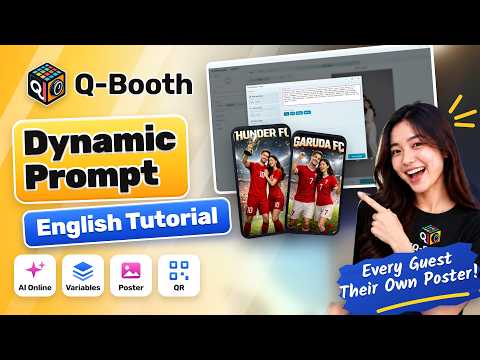
Video tutorial · 2:43
How to Use Dynamic Prompts in an AI Photo Booth
Read the written guide
Also in: Bahasa Indonesia · 中文
Chapters (8)
Print Products & Automation

Video tutorial · 5:00
From 5 Seconds of Video to a Flipbook Guests Can Hold
Read the written guide
Also in: Bahasa Indonesia · 中文
Chapters (20)
- 0:00Intro
- 0:14What you need
- 0:25Open Flipbook Studio
- 0:35Where the frames come from
- 0:49Aspect ratio & record duration
- 1:05Playback mode & speed
- 1:17Paper & composition
- 1:34FPS: the number that matters
- 1:55Binder & cut lines
- 2:16Image size: Crop
- 2:30Cover image
- 2:42Overlay
- 2:54Save & record
- 3:13The result & printing
- 3:34Cut
- 3:47Stack, bind & flip
- 4:09Studio Template as the source
- 4:22A photo becomes a flipbook
- 4:32At an event
- 4:45Three things to remember

Video tutorial · 7:58
Lenticular Photo Printing with Q-Booth
Read the written guide
Also in: Bahasa Indonesia · 中文
Chapters (22)
- 0:00Intro
- 0:17What you need — and why the box number is only a start
- 0:38Open Lenticular Studio · the Pitch Test row
- 0:57The Pitch Test dialog
- 1:13LPI, DPI and direction
- 1:40Step size & range — the first pass
- 2:07Band dimensions
- 2:22Printer settings
- 2:53Print the sheet
- 3:06Read the sheet
- 3:31Second pass
- 3:53Write it down
- 4:10Chapter 2 · Lens tab
- 4:41Separator
- 4:55Images tab · layer 1
- 5:29Layer 2 · other layer types
- 5:55Slideshow video · save the template
- 6:27Process
- 6:54The result looks wrong — and that is right
- 7:08Print at actual size
- 7:25Assemble and flip
- 7:36Three things to remember
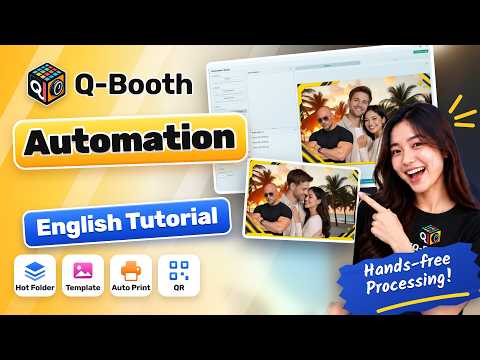
Video tutorial · 2:12
Automated Roaming Photographer Workflow With a Hot Folder
Read the written guide
Also in: Bahasa Indonesia · 中文
Chapters (8)
Still need help?
Our team answers on WhatsApp. Tell us your Q-Booth version and what you see on screen.