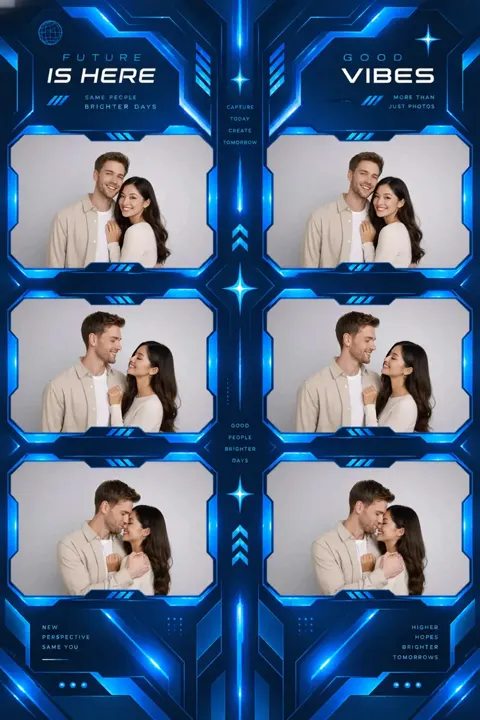
Photos, prints, videos, collages and AI — on one Windows PC with the camera and printer you already have. Pick the edition that fits your booth, or try Q-Booth Advanced free for 14 days.
The free trial is Q-Booth Advanced, with no payment details. Results carry a watermark until you buy.
What you can make
Eleven studios, one booth
Each studio makes a different kind of result. Design a template once, then run it at every event.
Photo
Classic booth photos with background removal or change, face smoothing, frames and your overlay.
All editions How it works
Collage
Photo strips, 2-box and 4-box frames, and any print layout with photos, text and a QR code.
All editions How it works
Motion
Boomerangs, slow motion, speed ramps, 360 spinner and glambot videos.
All editions How it works
Art
Turns the guest's photo into a pencil, ink or watercolour drawing, with a video of it being drawn.
All editions How it works
Face Swap
Puts the guest's face onto a character you choose — knights, heroes, movie posters.
Advanced & Pro How it works
AI Online
Turns the guest into a royal portrait, a superhero or a cartoon, using AI over the internet.
Advanced & Pro How it works
AI Offline
Generative AI on the booth PC itself: no internet, no cost per photo.
Pro How it works
Lenticular
Prints that change when tilted: a photo that flips into its AI version.
Pro · add-on for Basic & Advanced How it works
Flipbook
A few seconds of video printed as a real paper flipbook guests take home.
Pro · add-on for Basic & Advanced How it works
Augmented Reality
Characters walk into the camera view and pose with the guest in the same photo.
Pro · add-on for Basic & Advanced How it works
Automation
Watches a folder and runs every new photo through a template, then shares and prints it.
Advanced & Pro How it works
What's new
New ways to run your booth
The latest additions to Q-Booth, each with a short how-it-works.
Since 5.9
Art Studio
The guest's photo becomes a drawing in one of seven styles, from pencil to watercolour, and guests also get a video of it being drawn, stroke by stroke. Draw the photo itself, or an AI picture made from it.
In every edition How it works
Since 5.9
Beauty Filter
Smooth skin and a soft glow on every face, live on the camera, in the photo and in video. Pick Natural, Soft, Glam or Glow, set one look for the app or one per template, and guests can turn it off.
How it works
Since 5.9
Gesture Shooting
Guests show an open hand, then hold a fist: the countdown starts. Thumbs up keeps the photo, thumbs down retakes it. Great for big groups and guests standing far back.
How it works
Added earlier
QR payments at the boothSince 5.9
Everything built in
One platform, all the power
The shared engine behind every booth mode — AI, hardware, sharing and automation.
AI & Face Swap
Face swap, background removal and generative AI — running on CPU or NVIDIA RTX GPU.
Pro Cameras
Canon DSLR, GoPro (incl. 360°) and webcams — with live view and flexible orientation.
Multi-Printer
Drive multiple printers and layouts at once, including badge printing.
Background Delivery
Guests leave instantly — photos and videos are processed and sent automatically.
QR & Email Sharing
Instant QR sharing over LAN or cloud, plus multi-account email delivery.
Buy once and keep it (Lifetime), or rent it for a day, a month or a year. Cloud Sharing comes with it — 1 year with Lifetime, the rental period with a rental — and is an optional subscription after that.
Best SellerQ-Booth BasicFor classic photo, print and video booths.$290Lifetimeor rent from $10 / day · $22 / month
Best SellerQ-Booth AdvancedFor booths that want the AI wow factor.$390Lifetimeor rent from $20 / day · $50 / month
Best SellerQ-Booth ProFor high-volume booths and venues without reliable internet.$790Lifetimeor rent from $40 / day · $99 / month
Studios
Photo Studio
Collage Studio
Motion Studio
Art StudioPhoto to drawing, plus a video of it being drawn
From the photo
From the photo, AI Online or Face Swap
From the photo or any AI template
Lenticular Studio
Add-on$100
Add-on$100
Flipbook Studio
Add-on$100
Add-on$100
Augmented Reality Studio
Add-on$100
Add-on$100
AI Online Studio
AI Offline Studio
Face Swap only
All workflows
Automation Studio
AI Capabilities
AI Background Removal
Face Swap (offline)
Face Swap inside Photo Studio
Online Generative AI
Offline Generative AI
AI workflow template gallery
Events & Sharing
Event Editor
QR sharing without internet
Cloud SharingGuests download on any network · a gallery link per event · WhatsApp delivery
Included: 1 year with Lifetime, the rental period with a rentalthen $10 / month or $70 / year
Included: 1 year with Lifetime, the rental period with a rentalthen $10 / month or $70 / year
Included: 1 year with Lifetime, the rental period with a rentalthen $10 / month or $70 / year
Template Gallery
Hardware
Runs on CPU only
NVIDIA GPU required
Not required
Not required
RTX, 8 GB VRAM
Add-ons (sold separately, any edition)
Payment Gateway (QR payments)
Add-on$5
Add-on$5
Add-on$5
White Label
Add-on$100
Add-on$100
Add-on$100
Add-ons are bought separately for a licence you already own, from My Licenses after signing in.
Choose Lifetime or a rental period at checkout. The free trial is Q-Booth Advanced, with a watermark on results.
Cloud AI tokens, studio add-ons, White Label and the Payment Gateway are in the shop. Open the shop
Before you buy
Lifetime or rental — what's the difference?
Lifetime is paid once and is yours to keep. Rental runs for 1 day, 1 month, 3 months, 6 months or 1 year — handy for a single event or a busy season.
Can I try before I buy?
Yes — Q-Booth Advanced, free for 14 days, with every Advanced feature. Results carry a watermark until you buy, and buying upgrades the same license.
How do I pay?
QRIS, GoPay, credit or debit card (Visa, Mastercard, JCB, Amex) or bank virtual account. Payment is in Rupiah; cards work from any country. The license is issued as soon as payment lands.
Does it need internet at the event?
Not for Photo, Collage, Motion, AI Offline, printing or local QR sharing. AI Online, cloud QR sharing and email do need internet.
What happens when the included Cloud Sharing ends?
You can renew it any time from your lumaqube.com dashboard. If you don't, the booth keeps working as before. Guests can still get their photos through Local QR over the booth's Wi-Fi, or Web QR to your own FTP hosting.
Still deciding?
Try Q-Booth Advanced free for 14 days, or ask us anything on WhatsApp — we reply in your language.